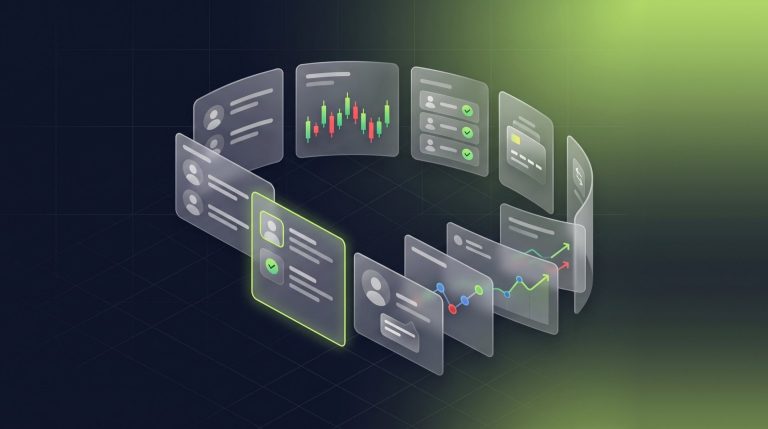
Nybble One Engine is the AI layer inside Nybble One, Nybble Tech’s Forex CRM for MT4, MT5 and cTrader brokers. It answers questions about live trading data by text or voice, briefs managers every morning, and works alongside real-time trade surveillance that flags bot activity, scalping, cross-account hedging and shared identities for review.
A brokerage generates data all day: deposits, withdrawals, new accounts, open positions, margin changes, and client activity. The work is connecting those details to the question someone needs answered right now.
We built Nybble One Engine to bring that work into the CRM. It connects to live MT4, MT5, and cTrader data, lets staff ask questions by text or voice, and brings analysis into the screens they use every day. Alongside it, our surveillance and risk tools help teams investigate trading patterns and follow the evidence back to individual accounts and trades.
Here is how those capabilities work together, from a morning briefing to a voice conversation with Zara, a surveillance review, or a closer look at a client’s activity.
Nybble One Engine: AI built into brokerage operations
The Engine is an intelligence layer connected across the CRM. It reads live trading-server data, combines information from across the book, and answers in plain language. Its context includes the screen the user is working on, so questions can start with the task already in front of them.
Meet Zara, your voice operations assistant
Zara lets staff hold a real-time voice conversation with the back office. She can retrieve live figures, clients, and trades while the conversation continues, then propose next steps. Your team confirms an action before she carries it out.
That makes voice useful for practical work: investigating a change in the book, checking a client, or discussing a figure without repeatedly changing screens. Zara brings the conversation to the data your team uses to make decisions.
A copilot that understands the screen and the data
The context-aware copilot can answer questions such as “What should I focus on?” or “Why did deposits drop overnight?” using live server data. It also understands CRM navigation. Asking where to enable two-factor authentication can take the user to the relevant setting.
Behind those answers are more than 30 live data tools covering funding, trading, risk, compliance workflows, partners, and client behavior. The Engine selects the tools needed for a question, combines their results, and explains the basis for its answer. Staff can investigate a business question without writing a database query.
Start the day with a brokerage briefing
An automatic morning briefing covers the previous 24 hours: funding flows, trading activity, new registrations, the KYC backlog, margin exposure, and withdrawal risk. It pairs findings with recommended actions so managers have a starting point for the day’s review.
A weekly performance recap provides the broader week-over-week view and is also available on demand. On individual screens, AI Summary turns reports into a briefing on what changed, what stands out, and what deserves attention. It is available across major trading, risk, account, client, order, group, funding, registration, and KYC reports.
Find the right clients and understand their activity
Natural-language search supports requests such as “UK clients who deposited over $10,000 but haven’t traded this month.” The Engine translates the request into filters, bringing the relevant clients into view.
Client intelligence profiles summarize funding, trading style, and risk. Trading accounts carry live risk assessments, while behavioral segmentation groups clients by patterns such as high-frequency trading or funded accounts that have become dormant. Churn scoring uses signals including falling deposits, withdrawal followed by inactivity, and stalled KYC to help retention teams prioritize follow-up. These scores are estimates for review, not a certainty that someone will leave.
Use AI within repeatable workflows
Automations can pass data to the Engine for classification, judgment, or summarization, such as identifying withdrawals that merit closer review. A recurring question can be saved as a workflow instead of being entered again each morning.
The approval step matters: AI findings and proposed actions remain subject to human confirmation. In a deployment walkthrough, review how scheduled analysis, workflow decisions, and action approvals fit together for your staff.
Ask Zara about your book in a private walkthrough.We build the demo around your trading platform and the questions your team asks every day.
Real-time trade surveillance with evidence behind every flag
Nybble One combines live trading intelligence with surveillance scans that can run on demand or on a schedule. The detection engine examines account activity for four types of patterns. Each flag includes severity, a score, and supporting evidence for investigation.
| Surveillance area | What Nybble One examines | What the team can investigate |
|---|---|---|
| Bot and EA activity | Order sources such as EAs, cBots, API or FIX connections, plus the regularity and timing of trading | Automated versus manual activity and patterns of round-the-clock execution |
| High-frequency scalping | Short holding times considered alongside win rate | Accounts whose execution patterns warrant a closer look |
| Cross-account hedging | Opposite trades opened across accounts within seconds, with a probability model to reduce coincidental matches | Potential coordination, supported by the matched trades |
| Shared identity signals | Shared IP addresses, devices, and client-portal sign-ins, with platform relay infrastructure excluded from matching | Possible links between accounts that need review |
Bot usage, scalping, or a shared address does not by itself establish abuse. The purpose of a flag is to focus an investigation. Staff can mark flags open, reviewed, or dismissed and keep notes in an audit trail.
Surveillance heatmaps add a 24-hour activity clock and a weekday-by-hour view, helping the team see when flagged activity occurs relative to the rest of the book. Sessions & Devices adds login addresses, devices, apps, address history, and shared-address signals alongside the client portal’s sign-in history.
Funding anomaly detection adds another view. It flags patterns such as unusual funding sequences, deposit-then-withdraw cycles, and unusual account behavior for review.
Review a surveillance flag in a demo.Follow a flag from its evidence to the trades behind it, then through your team’s review.
Understand the whole book, then open the underlying trades
The Trading Activity dashboard classifies scalpers, day traders, and swing traders using actual holding times. It shows algorithmic versus manual activity, buy/sell direction, leading traders, and symbol-level volume and client profit or loss.
Live order flow compares hourly activity with the same hours a week earlier and highlights the largest open positions. Risk and exposure views show net positions per symbol, gross notional, the estimated effect of a 1% adverse move, margin-level groups, and accounts nearing their own group’s margin-call threshold. Broker P&L can be reviewed by day, symbol, group, and introducing broker.
From the overview, staff can move directly into the details. Figures open the accounts, trades, or transactions behind them, allowing staff to investigate a change and review the evidence behind a surveillance flag. The AI briefing and the underlying records are part of the same working process.
How we approach privacy, local inference, and human control
Nybble One pseudonymizes client identities before data reaches AI processing. This replaces direct identity information with references for the AI workflow. Pseudonymization is a privacy measure; it does not mean all trading data is anonymous or establish where a model runs.
Local inference is available on request for Nybble One. It gives brokerages the option to run AI models within their own infrastructure or an agreed private environment, with deployment scope and hardware requirements assessed for their needs. For teams that want greater control over where model processing happens, this is an important part of the proposal.
When scoping local inference, we work through the Engine functions you need, model and hardware requirements, any cloud fallback, and the voice-processing route. Those details belong in the deployment proposal so your team understands how a request moves through the system.
Your staff retain the decision-making role. Zara proposes actions for confirmation, AI recommendations are reviewed, and surveillance flags move through a documented review process.
Connected to the rest of Nybble One
The Engine works within Nybble One, our Forex CRM for MT4, MT5 and cTrader. The back office brings client records, KYC document reviews, funding requests, and IB reporting together. The branded Traders Room gives clients their own place to manage account requests, documents, and funding workflows.
MT4, MT5, and cTrader integrations are available today. The Engine and surveillance capabilities support all three platforms. We review your server setup and operational requirements with you before implementation, including payment providers, approval processes, and partner reporting. For example, in our published MT5 commission workflow, MT5 calculates the commission and Nybble One reports it per partner.
For a side-by-side view of how Nybble One differs from typical packaged CRMs, read Best Forex CRM Software in 2026: Why Brokers Choose Nybble One.
Frequently Asked Questions
What is Nybble One Engine?
Nybble One Engine is the AI layer built into Nybble One, the Forex CRM for MT4, MT5 and cTrader brokers. It reads live trading-server data, answers questions in plain language by text or voice, and adds briefings, AI summaries and client intelligence to the screens your staff already use.
Who is Zara?
Zara is the voice operations assistant in Nybble One. Staff can hold a real-time voice conversation with the back office while she retrieves live figures, clients and trades, then proposes next steps. Your team confirms an action before she carries it out.
What does Nybble One trade surveillance detect?
Surveillance scans look for four types of patterns: bot and EA activity, high-frequency scalping, cross-account hedging and shared identity signals such as shared IP addresses or devices. Scans run on demand or on a schedule, and each flag includes a severity, a score and supporting evidence.
Does a surveillance flag mean a client is abusing the platform?
No. Bot usage, scalping or a shared address does not by itself establish abuse. A flag focuses an investigation. Staff mark each flag open, reviewed or dismissed and keep notes in an audit trail.
Does the AI take actions on its own?
No. AI findings and proposed actions stay subject to human confirmation. Zara proposes actions for your team to confirm, AI recommendations are reviewed, and surveillance flags move through a documented review process.
How is client data protected when the AI is used?
Nybble One pseudonymizes client identities before data reaches AI processing. Local inference is also available on request, so a brokerage can run AI models within its own infrastructure or an agreed private environment.
Which trading platforms does Nybble One Engine support?
MT4, MT5 and cTrader. The Engine and the surveillance tools support all three platforms, and we review your server setup and operational requirements before implementation.
How can I see Nybble One Engine in action?
Request a private walkthrough using the form on this page. Tell us which trading platform you run and what your team needs to investigate, and mention local inference if it is a requirement.
See the Engine in a private walkthrough
Tell us which trading platform you run and what your team needs to investigate. We can build the walkthrough around a practical sequence: ask Zara a question about the book, inspect the records behind the answer, review a surveillance flag, and follow the proposed next step through human approval.
If local inference is a requirement, include it in your request so we can discuss deployment scope. Our team reviews demo requests and arranges private access for suitable buyers.
Request a Nybble One walkthrough.Tell us your platform and what your team needs to investigate. We reply within one business day.
By the Nybble Tech team, creators of Nybble One. Product information updated October 16, 2026.